


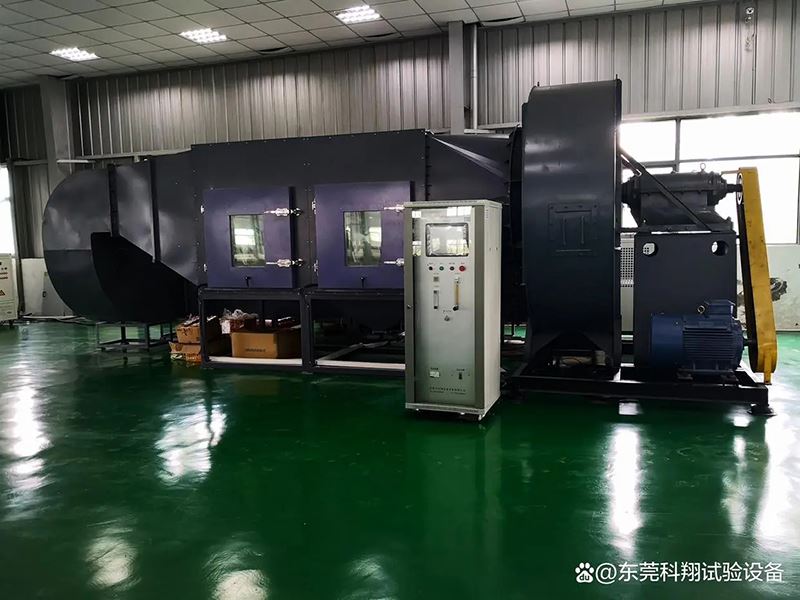
If you’ve ever run a sand-dust test chamber, you know they’re not set-it-and-forget-it machines. I’ve been working with these chambers for years now—first as a tech repairing them, now as part of a team supplying them—and I can’t tell you how many times clients hit snags that feel way more complicated than they actually are. The good news? Most common faults are easy to troubleshoot, even if you’re not a seasoned engineer. Before we dive into specific issues, let’s keep in mind that the core job of any sand-dust test chamber is to simulate harsh, dusty environments (think desert winds, construction sites, military deployments) to test if your product can hold up. Whether you’ve got a compact Sand Dust Test Chamber for small parts, a Military Standard Dust Test Chamber for gear that needs to meet MIL specs, or a huge Walk-in Sand and Dust Test Chamber for full vehicle testing, the same handful of faults pop up over and over. Let’s break ’em down, no jargon overload.
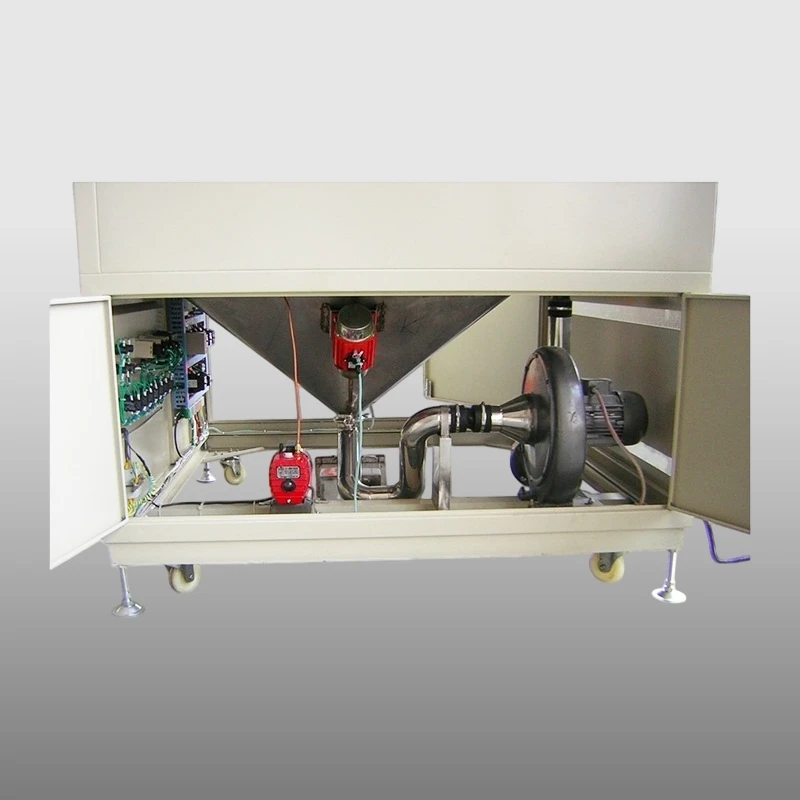
First up: The most annoying one for anyone doing tests—no sand/dust circulation, or super weak airflow. I can’t count how many times a client’s first call is, “My test didn’t work because there’s barely any dust moving.” What’s usually causing this? Let’s start simple, because it’s rarely the big stuff. First, check the air filter. These chambers pull in air to blast dust, so if the intake filter’s clogged with dust, lint, or even leftover debris from a past test, airflow drops fast. I’ve seen clients skip cleaning the filter for months because they think “it’s a sealed machine”—nope, that’s a rookie mistake. Next, check the fan impeller. Sometimes, tiny clumps of dust or even a small piece of your test sample (like a loose plastic tab or a screw) gets wedged in there, gunking up the blades. If that’s the case, turn off the chamber, unplug it, and take the fan cover off—super easy to do, no need for a tech most of the time. One less common but still fixable issue here is the fan motor’s speed controller. If it’s acting up, the fan won’t spin fast enough, so even if everything else is clear, dust just sits at the bottom. For that, a quick voltage check with a multimeter will tell you if the controller’s shot, and swapping it is straightforward.
Second fault: Uneven dust distribution. You run the test for the required time, pull your product out, and half of it’s covered in dust and the other half is practically clean. Total waste of time and test materials. The culprit here is almost always the dust injection system, and usually the nozzles or the distribution baffles. Over time, dust can clump up in the nozzles—especially if you’re using fine, standardized test dust (like ISO 12103-1, the Arizona road dust most specs call for) that’s prone to clumping when it’s been sitting in the hopper. To fix this, turn the chamber off, empty the old dust out of the hopper, and use a soft brush to clean each nozzle—don’t use compressed air, that’ll blast dust everywhere and mess up the system. Another thing to check: the baffles inside the chamber that spread the dust evenly. If they’re bent or caked with old dust, they can’t redirect the airflow properly. Gently straighten bent baffles (with a plastic tool, not metal, so you don’t scratch the chamber walls) and scrub them clean with a mild detergent. If you’ve got a walk-in unit, this is even easier because you can climb in and see the baffles right away. Pro tip: Before every test, give the system a 2-minute “pre-circulation” with no sample in there—this breaks up any clumps and ensures dust is spread evenly before you start timing.
Third issue: Overheating during testing. Wait, sand-dust chambers get hot? Yeah, especially if you’re running a test that includes temperature cycling with dust, or if you’re testing a product that generates heat while running inside the chamber. I’ve had clients panic because their chamber hit 120°F when the test was only supposed to go to 90°F. First, check the chamber’s cooling system—most modern chambers (including the military-grade and walk-in ones) have a condenser coil that needs to be cleaned. If dust, lint, or debris is stuck on the coil, it can’t release heat, so the whole unit overheats. For indoor units, you can usually access the condenser from the back; for walk-in models, it’s often on the side panel. Turn the unit off, vacuum the coil gently, and make sure there’s at least a foot of space around the chamber so air can circulate—don’t stick it in a corner against the wall, that traps heat. Another possible overheating cause: a faulty temperature sensor. If the sensor is reading wrong (maybe it’s covered in dust, so it thinks the chamber is colder than it is), the control panel will crank up the heater too much. Just take a quick look at the sensor—if there’s a thick layer of dust on it, wipe it off with a dry cloth, and if that doesn’t fix it, calibrate it with a thermometer you trust.
Fourth common fault: Leaks or dust getting out of the chamber. This is a big safety and test accuracy issue—if dust is leaking out, not only is it a mess in your lab, but your test samples might not get the right amount of dust, skewing results. Leaks almost always come from door seals. Over time, the rubber seals around the chamber door get worn, cracked, or caked with old dust, so they can’t form an airtight seal. To check, close the door, turn on the chamber, and hold a piece of tissue paper along the seal—if the tissue flutters, air (and dust) is getting out. The fix here is simple: clean the seal with a mild soap and water, then inspect for cracks. If there are small cracks, you can use a rubber seal conditioner to make it pliable again; if it’s totally worn, swapping the seal is cheap and easy—any good supplier will have replacement seals for their chambers. Another place leaks happen are around the dust hopper access ports or any sensor wires that go through the chamber wall. Those little rubber gaskets around the ports can get loose, so just tighten the clamp or replace the gasket if it’s damaged.
Fifth: Control panel glitches. This is less about mechanical stuff and more about software/electrical, but it’s super common. You set the test time, dust flow rate, and temperature, but the panel won’t save the settings, or it starts random beeping mid-test, or the display is blank. First, check the power connection—sometimes a loose plug or a tripped GFCI outlet will cause weird control issues. I’ve had a client call me in because their panel was blank, and it turned out the lab’s cleaning crew had kicked the power cord into an adjacent outlet, which wasn’t working. If the power’s fine, try a reset—most panels have a “reset” button on the back, or you can turn the chamber off, unplug it, wait 5 minutes (that lets the capacitors discharge), then plug it back in. If that doesn’t work, it’s usually a faulty control board, but before you panic, check for any loose wires inside the panel—sometimes a wire comes undone when someone opens the panel for cleaning. For newer units, like the walk-in or military standard ones, the control panels have a troubleshooting menu, so you can look for error codes there—way faster than guessing.
Now, a quick note for all you folks using different chamber types: The Sand Dust Test Chamber for small parts has smaller nozzles, so they clog more easily than the military-grade ones that are built for heavier dust loads. The Military Standard Dust Test Chamber has stricter specs for airflow and temperature, so you’ll want to calibrate it every 6 months, not just when something goes wrong. And the big Walk-in Sand and Dust Test Chamber requires checking the door seals more often because they’re bigger and take more wear from opening and closing all day.
The best part? Most of these fixes take 10-15 minutes, no specialized training needed. But if you do run into something that feels way over your head—like a total fan motor failure or a control board that’s fried—you don’t have to stress. Our team is here to help, whether you need replacement parts, troubleshooting tips, or even a service call. If you’re in the market for a new chamber, or need parts or support for your current one, reach out to chat—we’ve got the experience to get you set up and running smoothly.
References:
- International Organization for Standardization (ISO). ISO 12103-1:2016, Road Vehicles — Test Dust for Filter Evaluation — Part 1: Arizona Test Dust. Geneva, Switzerland: ISO, 2016.
- U.S. Department of Defense. MIL-STD-810H: Environmental Engineering Considerations and Laboratory Tests. Washington, D.C.: DoD, 2019.
- American Society for Testing and Materials (ASTM). ASTM D951-19, Standard Test Method for Sand and Dust Resistance of Enclosures. West Conshohocken, PA: ASTM, 2019.